
Agents for nuclear work,
with your people in charge.
An agent on the Nuclearn platform is a set of instructions, the tools it may use and the documents it may read. Build your own, start from Nuclearn's built-in workflows, hand work to sub-agents, and stop for a person's approval where your process says so.
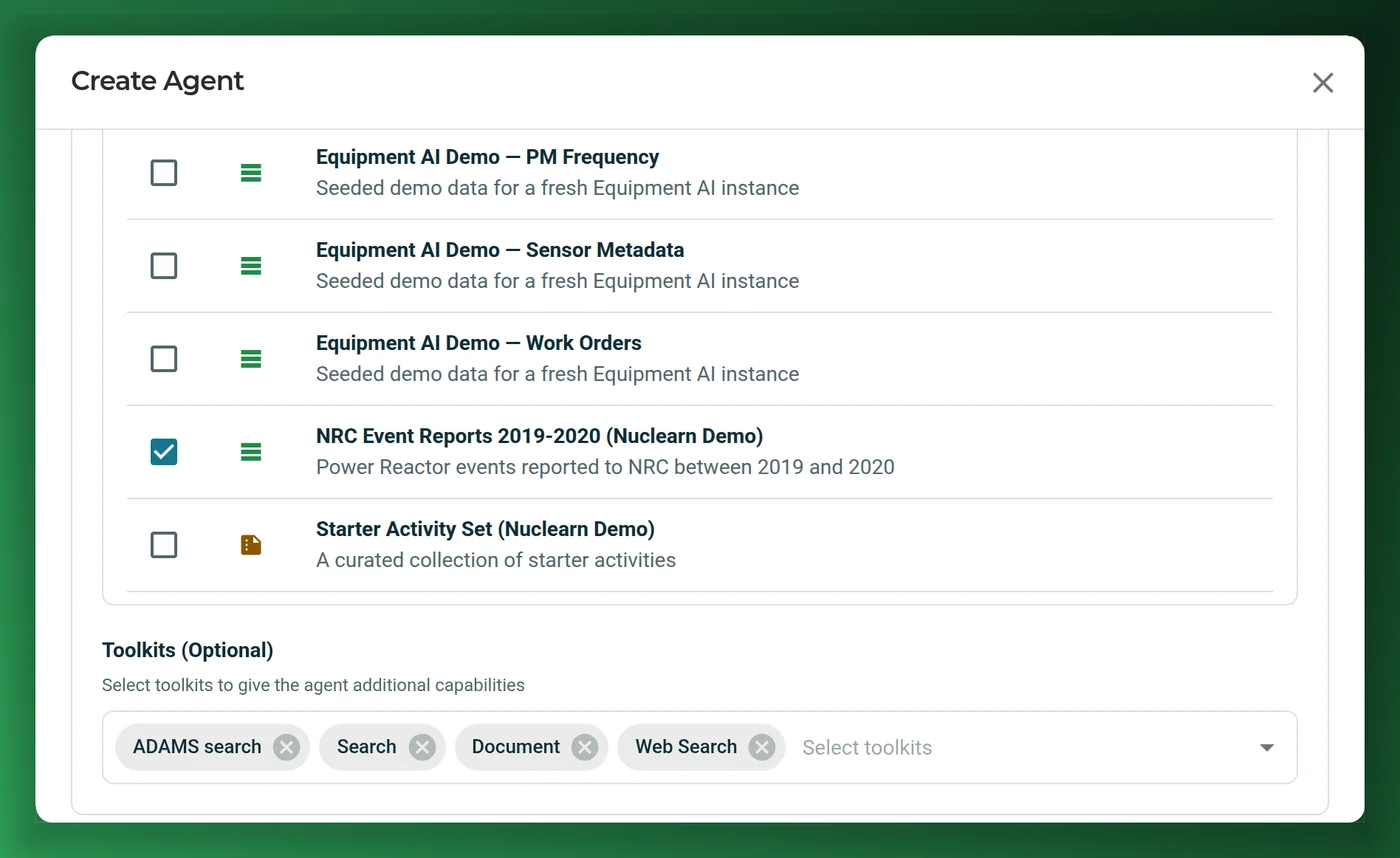
Choose what it may read and do.
Describe the job and AtomAssist drafts the agent for you to review, or set it up yourself: its instructions, the document collections it searches and its toolkits. An agent can only call the tools in its toolkits.
- Private to you until you share it.
- Toolkits such as ADAMS search, document search, documents and web search.
- Agents can ask you to choose, confirm or upload a file.
Start from a workflow with roles.
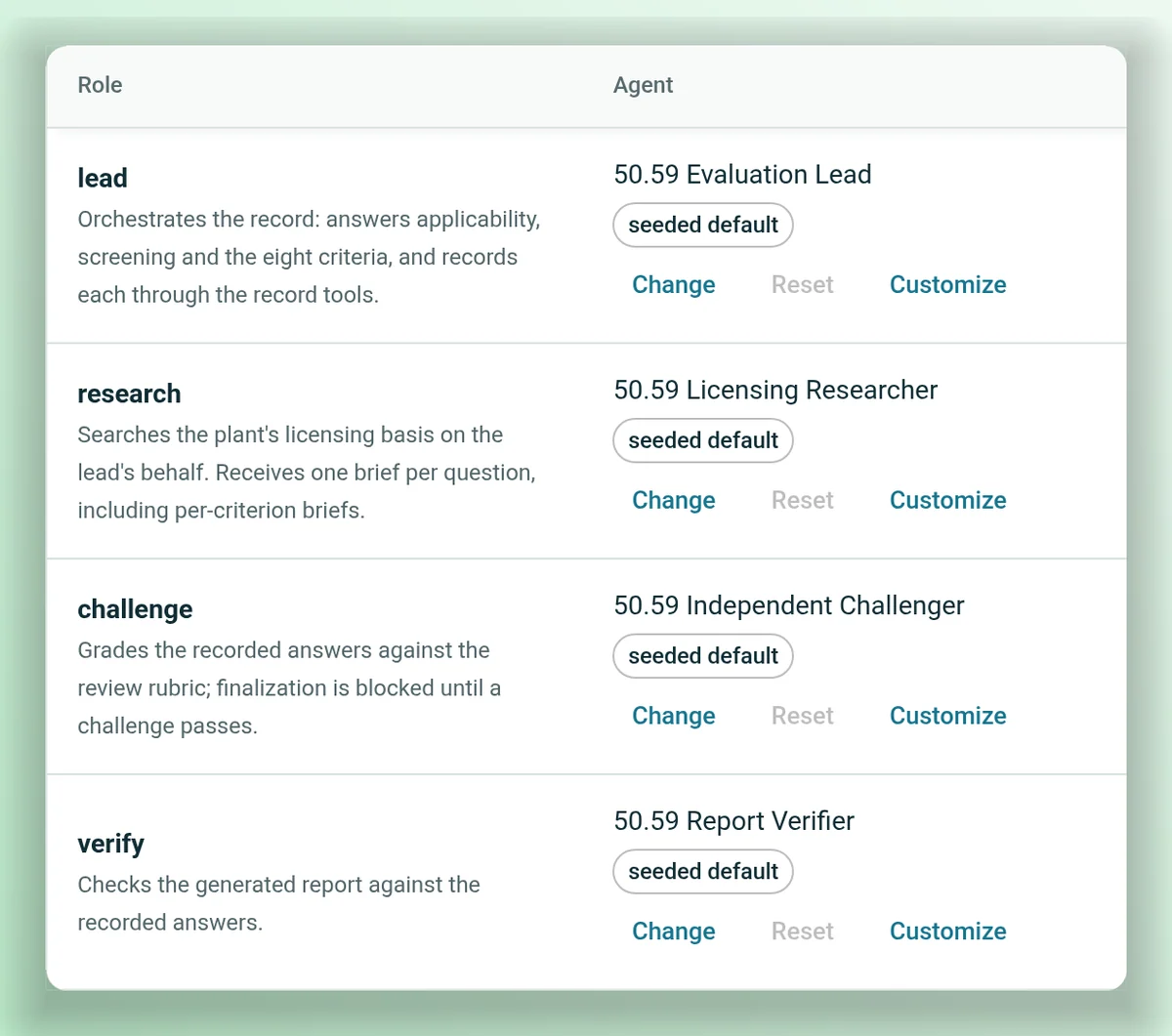
Nuclearn's 50.59 Evaluation works a proposed change through applicability, screening and evaluation with four agents: a lead, a researcher, an independent challenger that checks every answer, and a verifier that checks the report. You can change or customize each role.
- Stages can stop for a person's approval.
- Part of Regulatory AI, switched on per deployment.
- Other seeded agents include an ADAMS researcher and a document reviewer.
Hand part of the work to another agent.
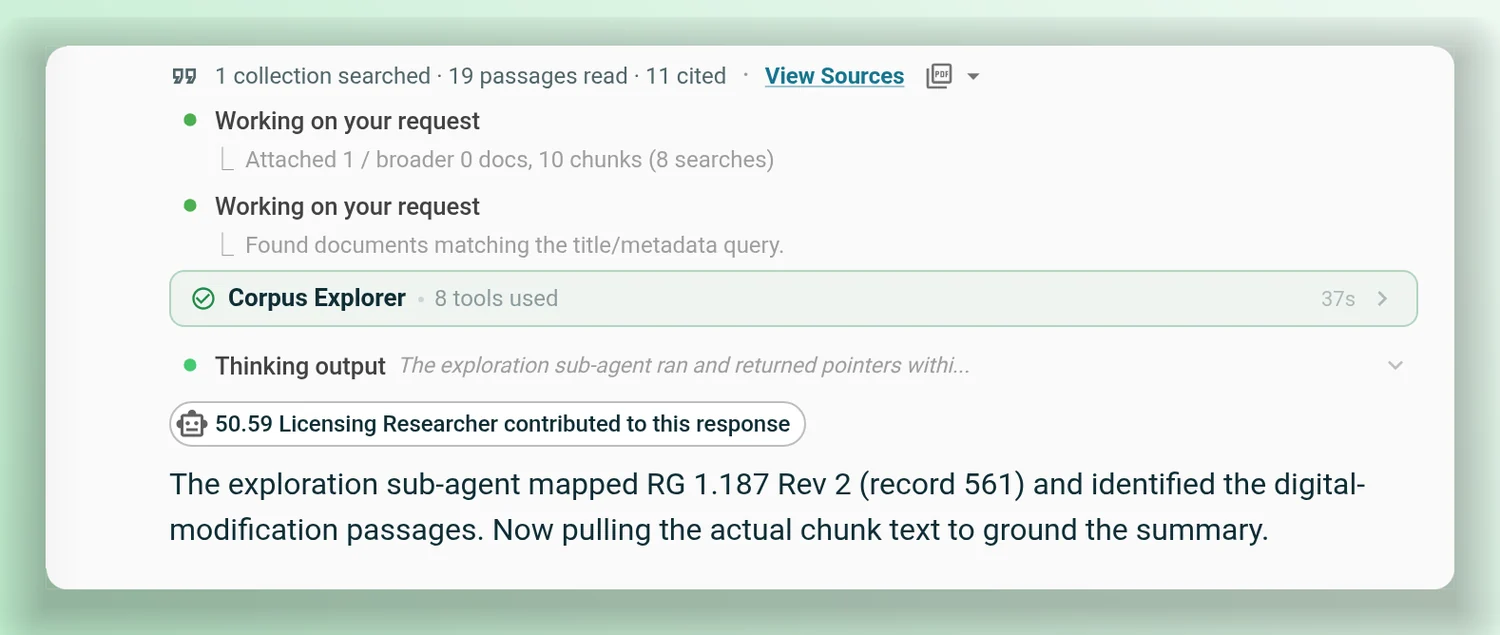
An agent can delegate a task to another agent, such as a searcher that reads a long guide, and pick up from what it found. Delegation nests up to three levels.
- You see what each sub-agent did.
- Sub-agents run with the user's own access.
Run an agent every week.
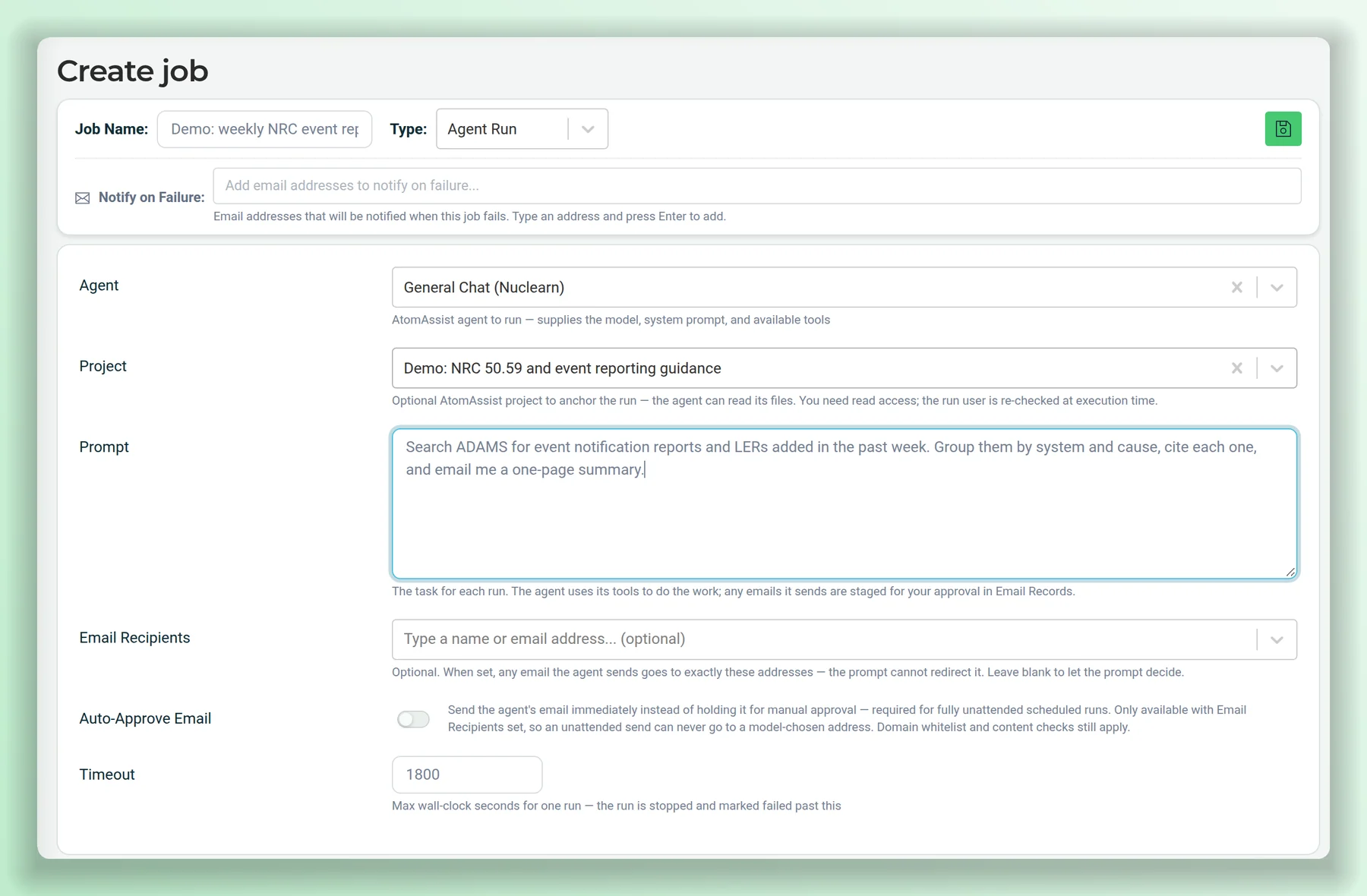
Administrators can schedule an agent with a prompt, a project and email recipients, for example to search ADAMS each week for new event reports. Emails wait for approval unless the recipients are pinned.
- Set up and monitored by administrators.
- A run can work in a project you choose.
Agents and datasets from Nuclearn, installed by you.
Your administrators install agents and datasets from Nuclearn into your plant's instance, and choose who can use them. Nuclearn connects your instance to the Marketplace on request.
Installed by administrators
Administrators browse the agent market and install what fits. The dataset market is open to people who may read datasets.
You choose who uses them
An installed agent or dataset sits in your instance like your own, with the same roles and permissions.
Kept in step
Installed agents are kept in step with the versions Nuclearn publishes.
Products that use it.
Bring a job you'd hand to an agent.
We'll show you how it would run on the Nuclearn platform, where it stops for your people, and what it can read.