
Your instance.
Your sign-in, your rules.
Each plant runs in its own single-tenant instance, hosted by Nuclearn in its own datacenter on its own hardware, with hosting, operations and support set up for 10 CFR Part 810 export controls. Access goes through your identity provider and the platform's roles.
Where it runs.
Single-tenant, hosted by Nuclearn
Your plant's own instance, hosted by Nuclearn in its own datacenter on its own hardware. Azure Government or your own servers on request.
Set up for 10 CFR Part 810
How Nuclearn products are hosted, operated and supported is set up for 10 CFR Part 810 export controls.
A certified company
Nuclearn's information security management system is certified to ISO/IEC 27001:2022. See the certificate →
Who can see what, and what they can do.
Sign-in through your identity provider
Single sign-on through providers such as Microsoft Entra ID, Okta or Ping, with groups mapped to roles and an SSO-only mode. LDAP and Active Directory too.
Roles and permissions
Editable roles with per-feature privileges, and permissions on each collection, project and agent for people and roles. Permission changes are recorded.
Products switched on per deployment
Each product is a licensed module, switched on for your instance. The next one uses the same sign-in and roles.
Web access off by default
Web search and fetching web pages stay off until an administrator turns them on, and each web search shows its query first. Public NRC and DOE sources are searched through their own tools.
Approval before anything goes out
Emails an agent drafts wait for a person to review and approve them. Workflow stages can stop for approval.
A trail you can export
Each answer's sources export as a PDF report or a JSON audit trail, for one answer or the whole conversation.
Share a project with the people who need it.
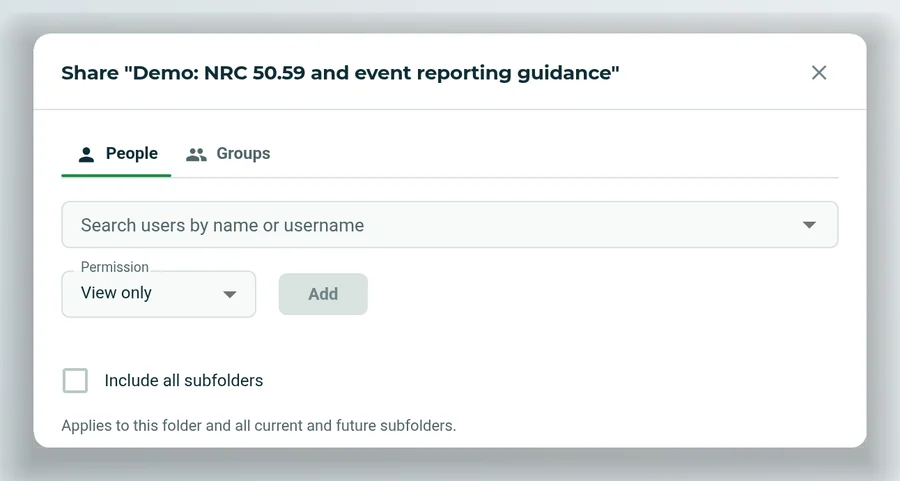
Projects hold files and chats. Share one with people or groups as view only, can edit or manage, and the rights carry to its subfolders.
Bring your security team's questions.
We'll walk through hosting, sign-in, data and the certificate with your IT and security staff.