Your documents, scans included,
searchable and citable.
Documents come into the Nuclearn platform once: uploaded, or synced by Nuclearn Connect from the document systems your plant already uses. Scanned pages are read with OCR, revisions are kept in order, and the products search and cite the same library.
The old guides and vendor manuals, too.
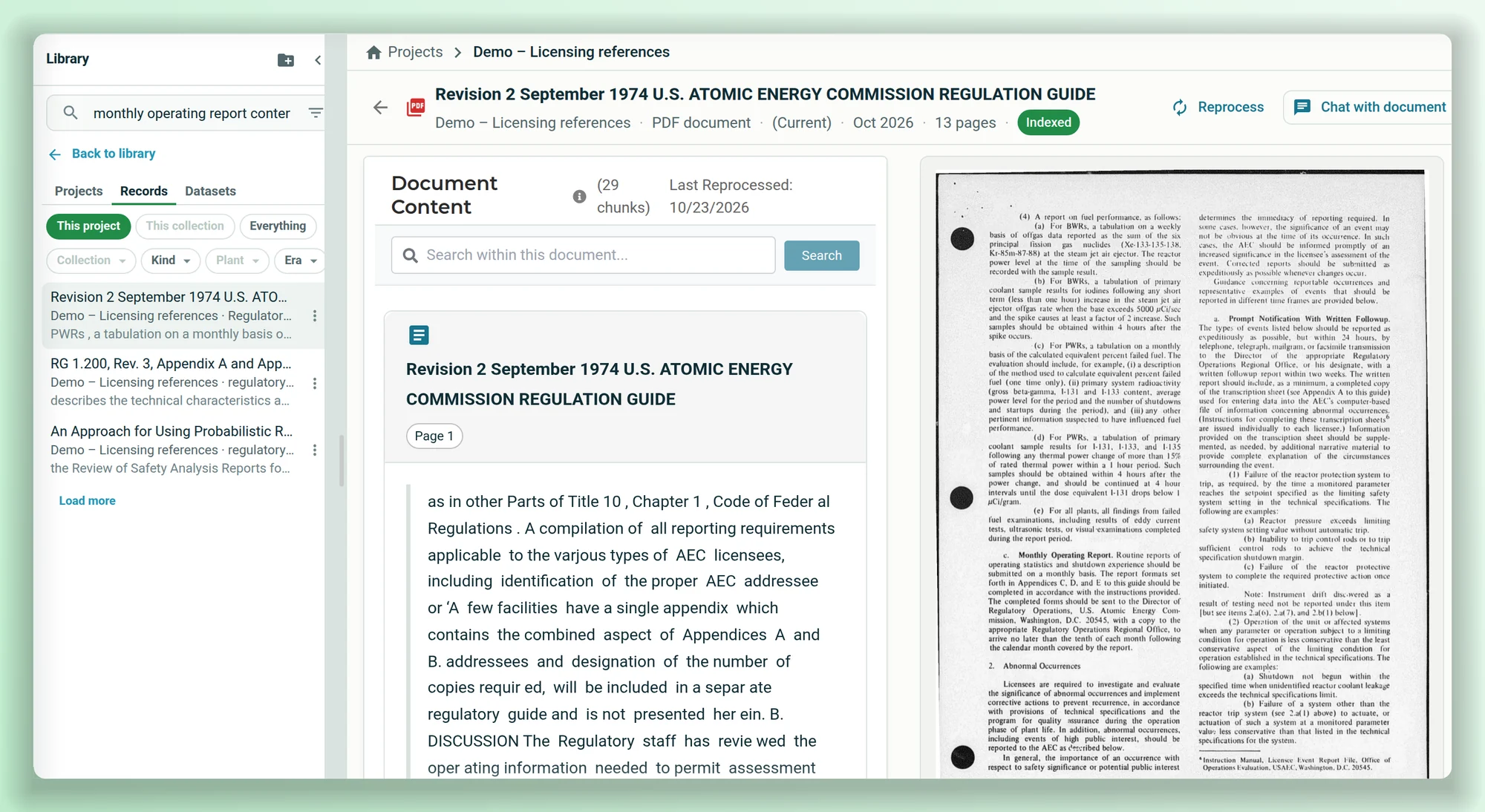
Every PDF is checked when it arrives. Pages without a text layer are read with OCR, and so are PDFs whose text layer is there but unreadable. Text read from a scan is indexed with everything else.
- Catches scanned pages inside an otherwise digital PDF.
- Citations and highlights land on the scanned page itself.
- Each document shows its stage while it's read, run through OCR and indexed.
Know which revision you're reading.
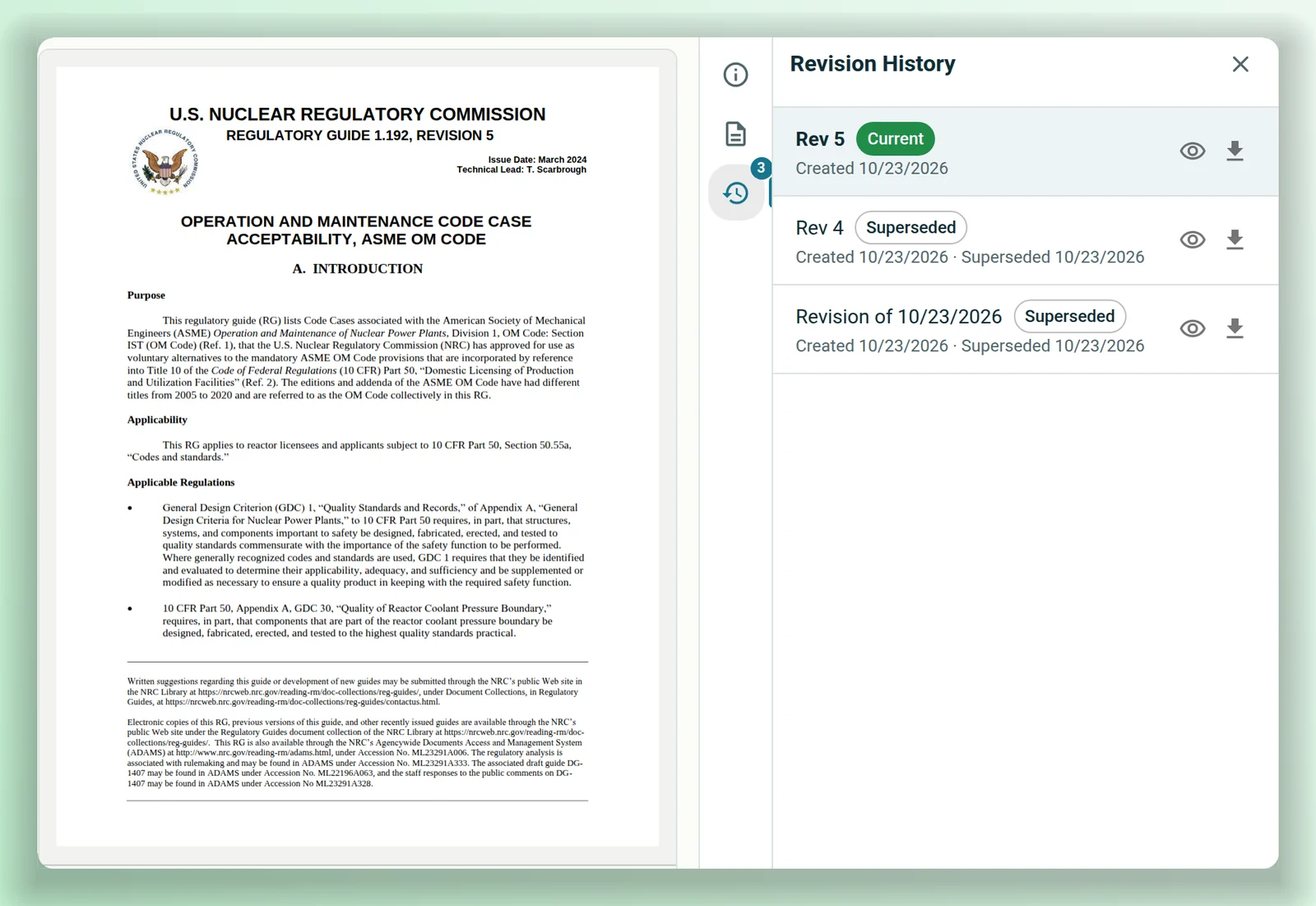
Upload a new version with its revision label and it becomes current once it's processed. Earlier revisions stay in the record's history, marked superseded, and stay out of search results unless a project pins one.
- Revision History lists each revision with its dates.
- Opening a superseded revision says which one is current.
- Citations name the page and the revision.
The files plants already have.
Office files, PDFs and scans
PDF, Word, Excel, PowerPoint, CSV, text, HTML and Markdown, with scanned pages read by OCR.
Forms, read into fields
Document Intelligence matches a form to its template and extracts its fields, such as text, dates, numbers, checkboxes and signatures, for you to check.
From your systems, kept private
Nuclearn Connect syncs from your document systems, file shares, Maximo and Aras Innovator. A synced collection starts private, and search only returns what each person may read. Integrations →
Bring the documents your team searches most.
We'll show you a library of public NRC documents, scans included, and how your own would come in.