Answers that lead
back to the page.
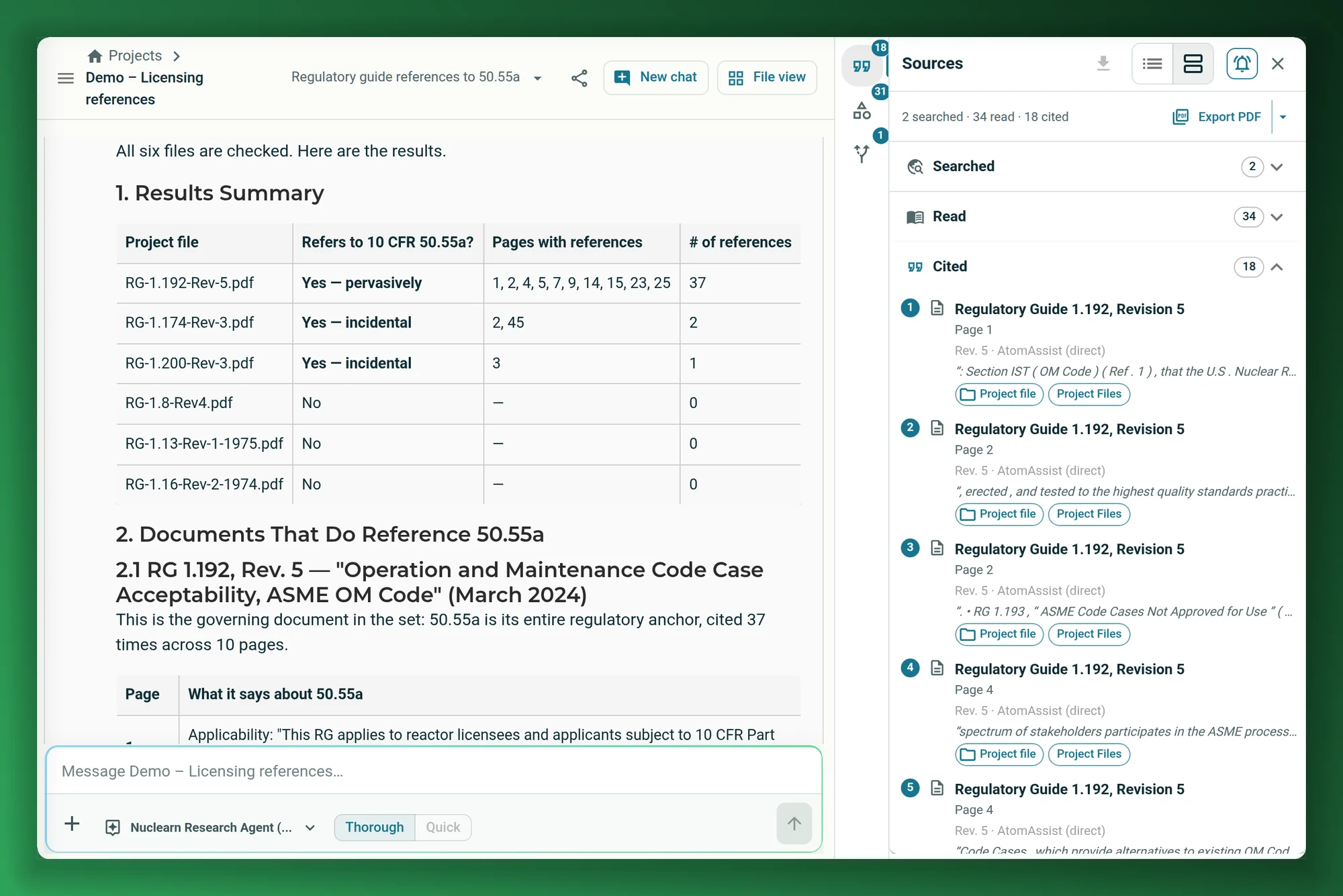
Search across your plant's documents and public NRC and DOE sources. An AI agent plans the search, runs several searches, reads the documents themselves and answers with citations to the page, the passage and the revision.
It searches the way an engineer would.
Ask a question and the agent looks for a named document first, splits a broad question into focused searches, and reads whole documents rather than stopping at a snippet. Ask "which of these…" and it checks each document in the project.
- Finds passages by meaning as well as by exact words.
- Superseded revisions stay out unless a project pins one.
- Each answer shows how many sources it searched, read and cited.
The NRC and DOE libraries, in the same answer.
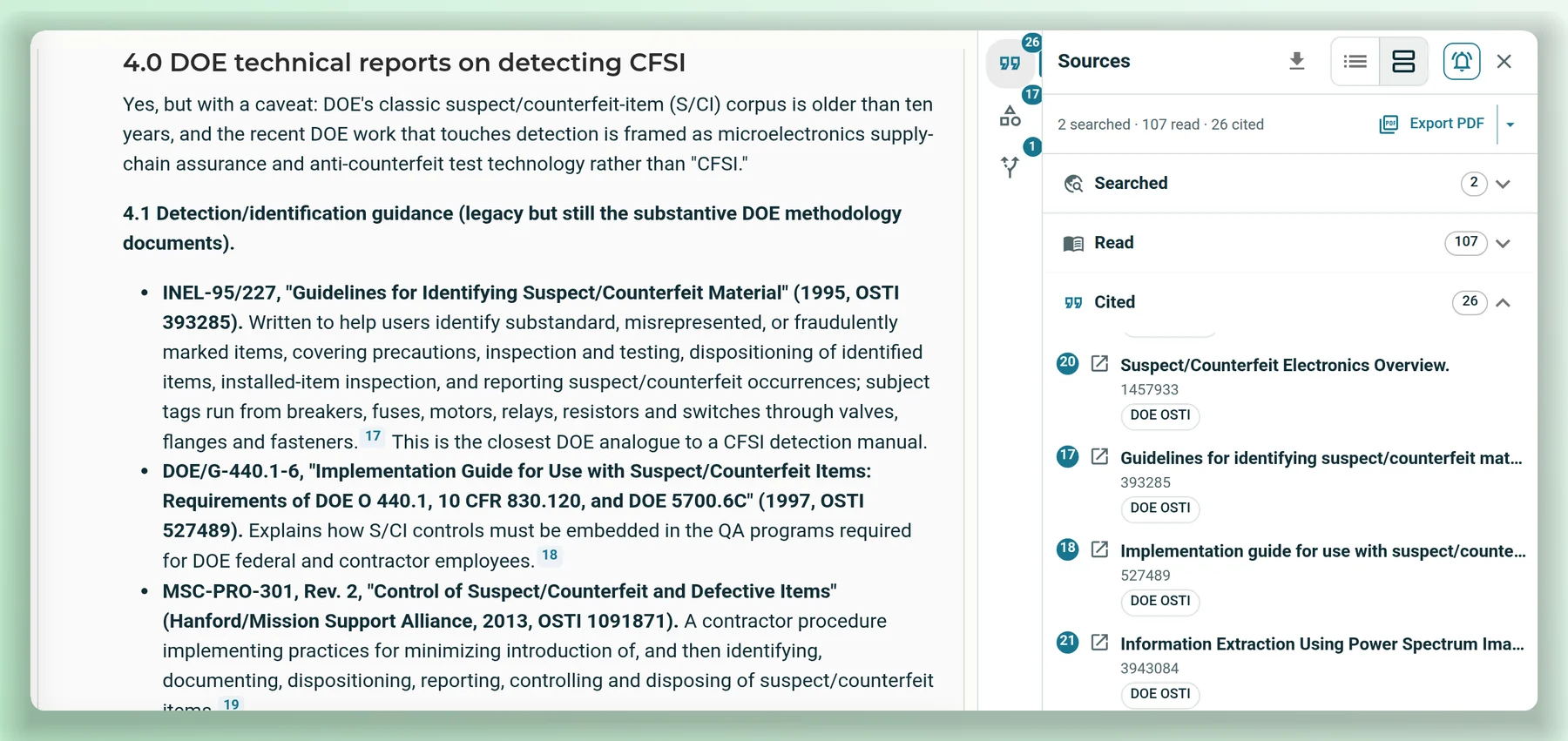
Search NRC ADAMS through the NRC's public API and DOE technical reports beside your own documents. Each cited source says where it came from.
- NRC ADAMS search through the NRC's public API.
- DOE technical reports marked by their source.
- Your plant's documents and public sources, cited the same way.
Answers come with their sources.
Citations to the page
Numbered citations open the document at the cited page, with the passages read and cited outlined.
A trail you can keep
Export a source report as a PDF, or the JSON audit trail, for one answer or the whole conversation.
Only what you may read
Search leaves out collections a person isn't allowed to read.
Ask your own question of public documents.
We'll run it on a demo project of NRC guidance, then show how your library would work.